Description
- Communication Interface: Bluetooth
- High-concerned chemical: None
- Use: Not Telecommunication
- Electronic: No
- Wireless Support: Bluetooth
- Is Batteries Included: No
- Item Weight: 0.3kg
- Special Features: Bluetooth
- Model Name: AIOBD Bluetooth Connector
- Hardware Version: OBD2 Adapter
- Brand Name: LAUNCH
- Origin: Mainland China
- Certification: CE
- feature: Data Subscription,Supports Vehicle Fault Detection,upports LAUNCH AI,MALL Function

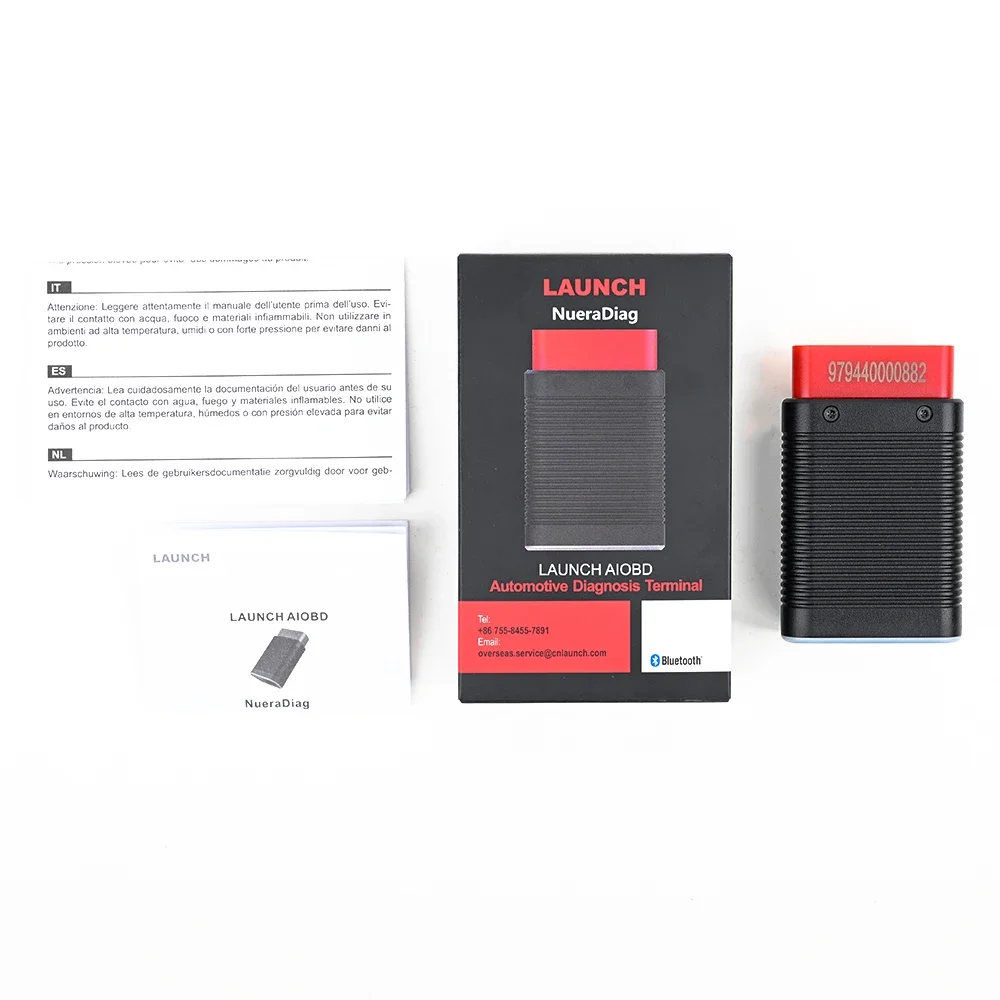
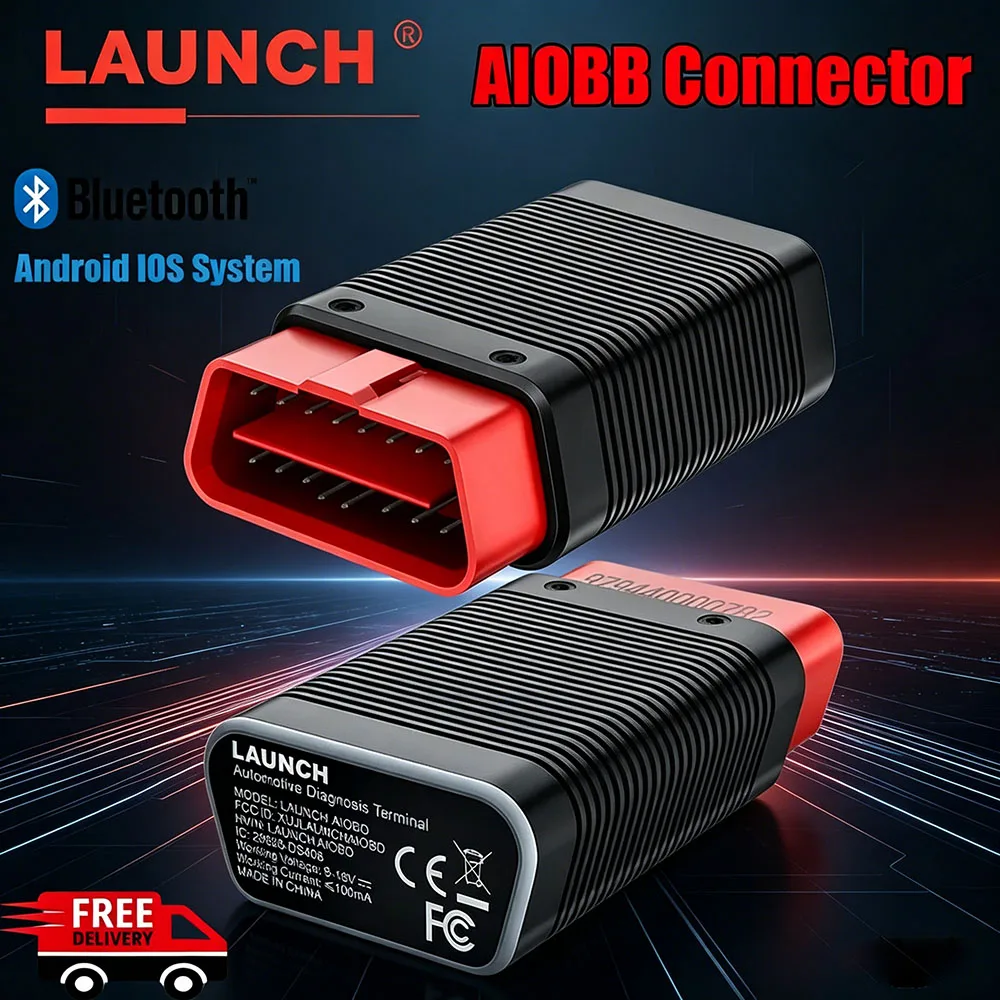
LAUNCH AIOBD Bluetooth Connector
Note: This is just hardware, only OBD function is free
The Advantage of LAUNCH AIOBD
* Generate all static data reports of OBD with one click. The reports are more comprehensive. In addition to supporting the ten major OBD modes, there are also Smog Check and OFBCM functions.
* It is more suitable for individual car owners. It is easy to operate. After the OBD function is completed, it guides customers to perform full vehicle system diagnosis. If the model software is not purchased, 5 models can be downloaded. The fault codes of all vehicles can be scanned to increase customers’ understanding of details.
* The interactive design has high functional consistency, simple operation and neat interface, while traditional connector products need to enter multi-level menus for interface selection.
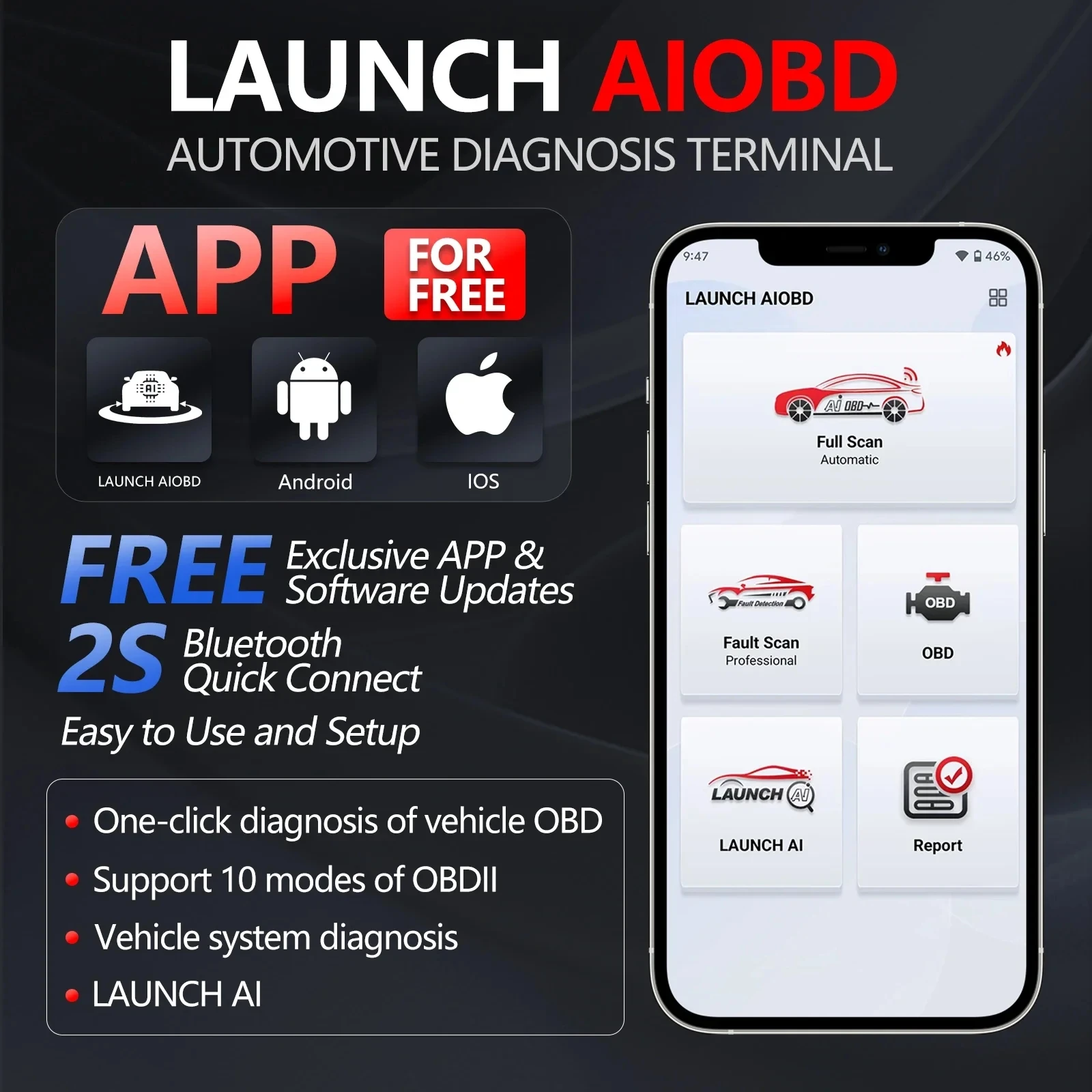
LAUNCH AIOBD supports Full OBDII Function :
1. AutoOBD Function :
Automatically reads all static data of OBD, generates a report, and can clear the code.
After completing this function, when returning, the customer is prompted whether to scan the entire vehicle system. Select yes to enter the vehicle’s full system health report;
If not purchased, the customer enters the AIT mode to scan the vehicle health report, which displays the number of fault codes, the system to which the fault code belongs, etc., and can clear the code, search for fault codes, etc.
If not purchased, clicking anywhere will pop up a payment window. After the purchase is completed, all information will be unlocked. Click the system to enter the system for detailed functions.
If purchased, all functions of all systems will be unlocked
2. Live Data
Select data and create a line chart to display real-time data
3. Smog Check
4. Read/Clear Code
5. Mode 6
Vehicles without mode 6 display the data of Mode 5, oxygen sensor data
6. Freeze Frame
7. MIL Status
8. Mode 8
Requests to control vehicle systems
9. OBFCM
European emissions related data, can generate reports and share
LAUNCH AIOBD Supports Vehicle Fault Detection
(Purchase with pin cards or in the mall)
1. To use this function, first download Autosearch and automatically identify the vehicle model
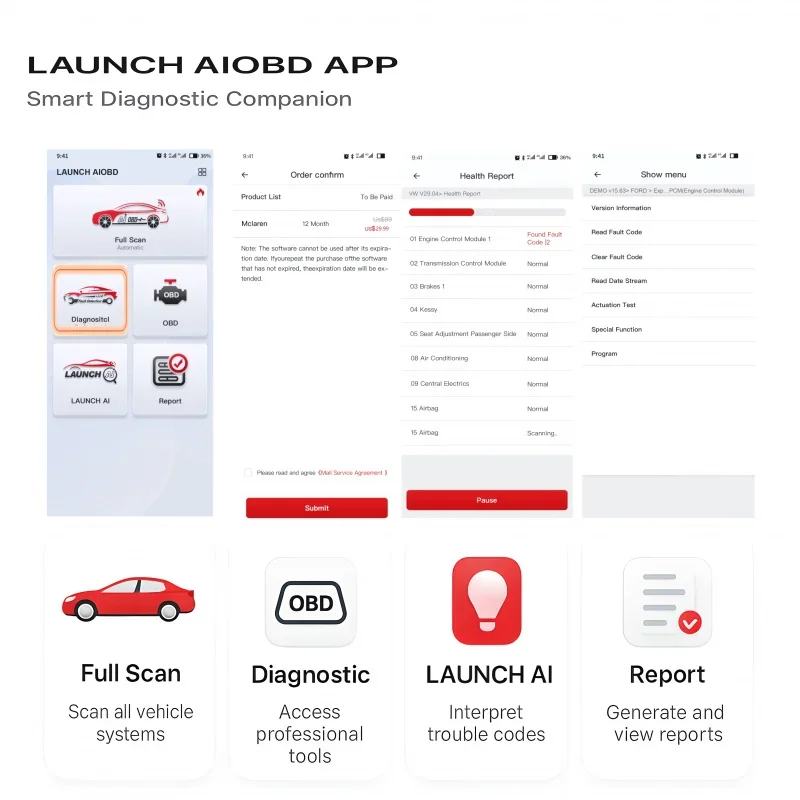
2. Enter the traditional diagnostic mode, including all vehicle systems, code reading, code clearing, data stream reading, version information reading, special functions, action testing, guidance functions, ECU coding, anti-theft key and other functions
LAUNCH AIOBD supports Data Subscription
Achieve specified maintenance plans, recommended maintenance tools, and recommended repair shops based on fault codes (expected to be launched in the second quarter)
LAUNCH AIOBD Supports LAUNCH AI
Check product model support, fault code information, maintenance plans and other issues related to car maintenance.
LAUNCH AIOBD Supports MALL Function
can subscribe the Car brand to do more functions .
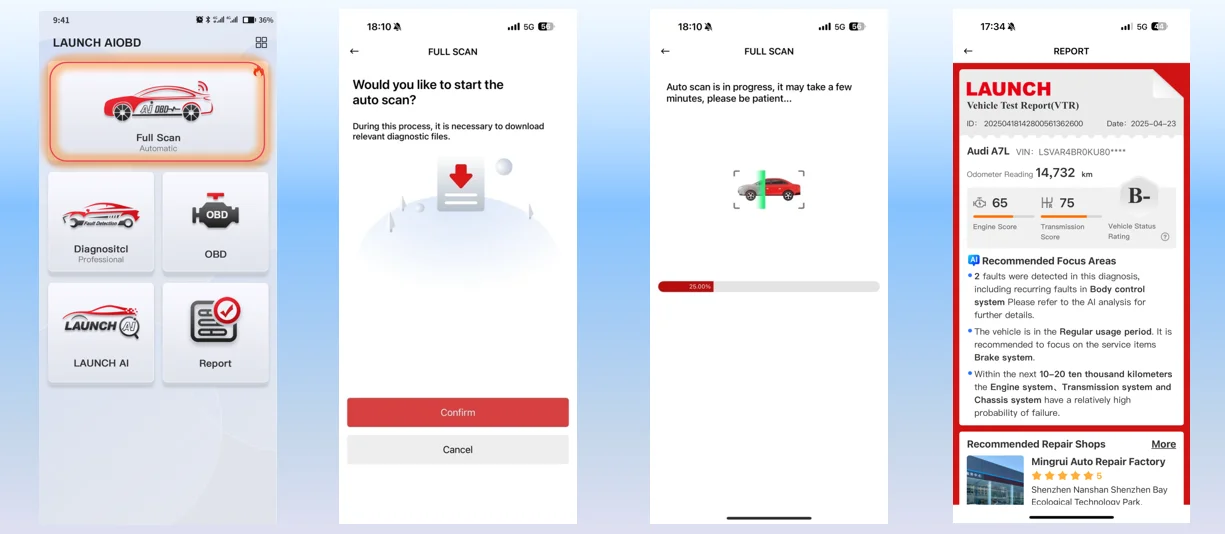
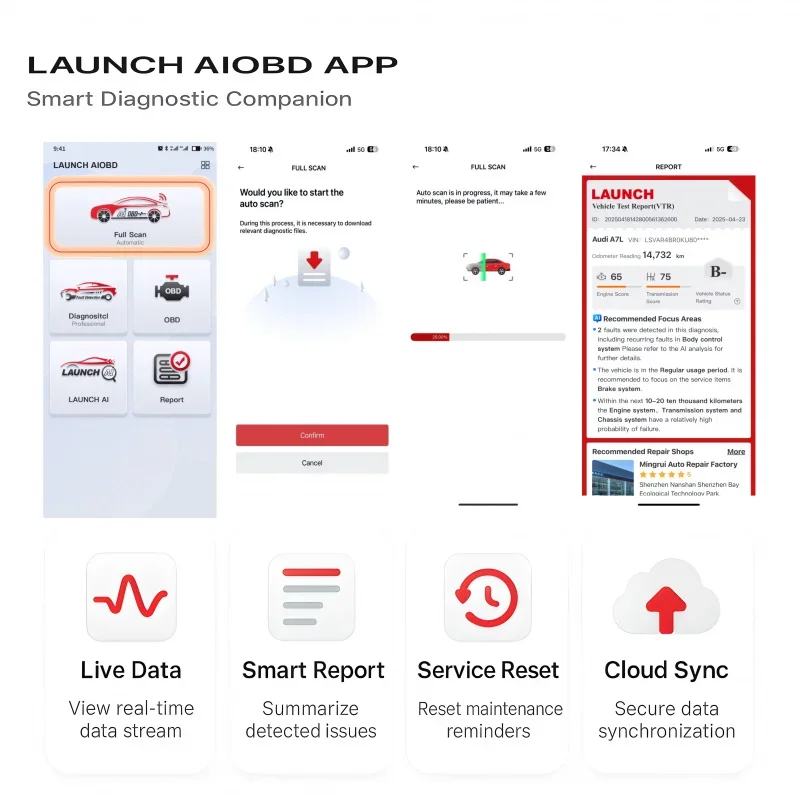
Full Scan Automatic
1. After manually clicking on Full Scan to obtain the corresponding authorization for the phone, new users can perform automatic scanning of the entire vehicle (the new user app cannot actively request relevant authorization when the customer has not clicked on the relevant function, so the entire vehicle scan can only be automatically performed after the customer completes the authorization).
2. For old users, when opening the app for the first time, it will automatically prompt whether to perform Auto scan automatic diagnosis.
3. After the scanning progress is completed, a vehicle testing report will be issued. Only OBD reports can be viewed for free. Other system faults and professional analysis reports can only be viewed after unlocking, and the specific content can be viewed. Unlocking the annual diagnosis and AI analysis advanced report fee for a single brand (smart pricing). This report contains the fault information of the entire vehicle and system, including which parts need to be modified, repair time, cost, as well as professional big data analysis results such as nearby repair shops, vehicle historical maintenance functions, vehicle health status, etc. Diagnostic diagnosis can also be performed after purchase.
Professional Diagnostic
After scanning the designated vehicle model and completing the purchase. Can perform traditional diagnosis and describe all systems of the vehicle. Each system can independently perform functions such as code reading, code clearing, data stream reading, version information reading, action testing, special functions, ECU coding, etc. It can also independently generate diagnostic logs for the vehicle model. Maintenance personnel can perform vehicle system maintenance through this content. Software pricing (smart pricing)
If you have already purchased a car from this brand during Full Scan, you do not need to purchase it again during Diagnostic.
EASY TO USE,WORK OUT OF BOX
1. Plug into OBDll port (16PIN)
2.Turn on ignition of your car
3.Select menu to star diagnosis
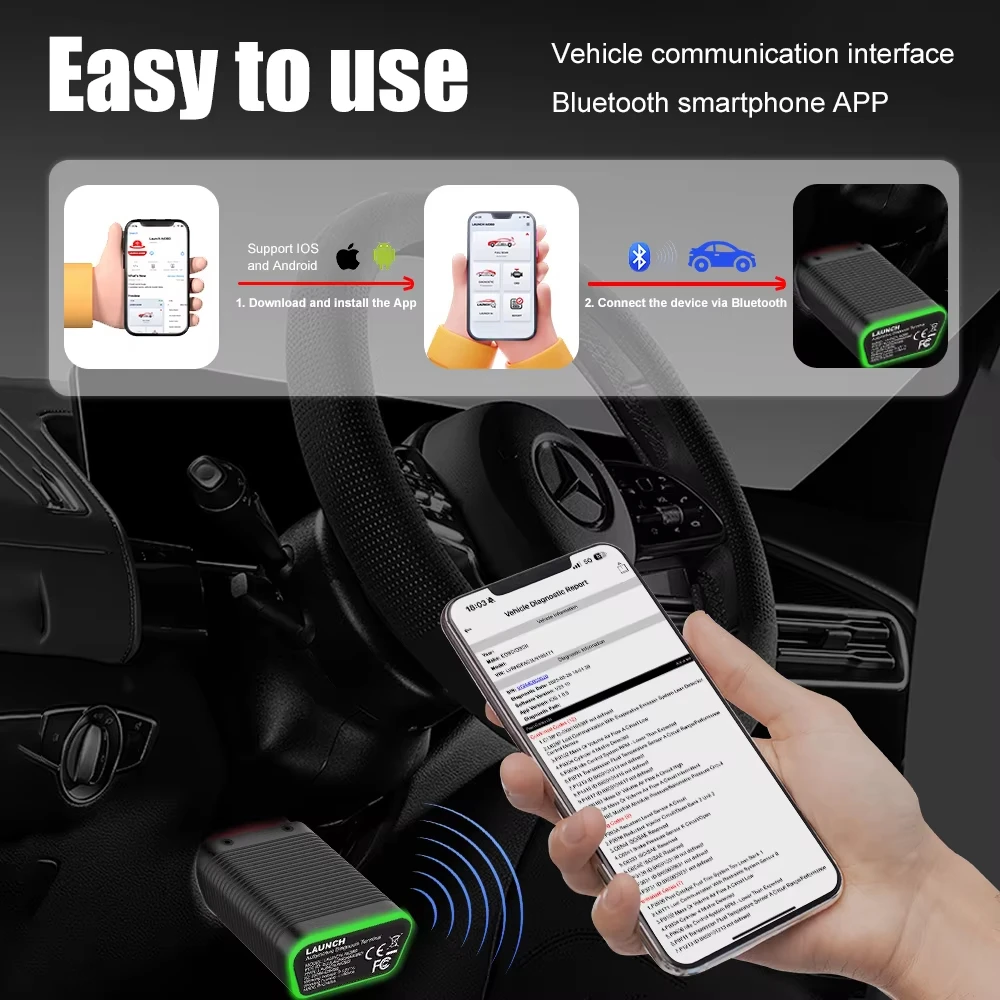
Reminder: The connector product is used in conjunction with a mobile app. The connector communicates with the mobile app via Bluetooth and is connected to the vehicle. Within the Bluetooth communication range, the vehicle can be professionally diagnosed through the mobile app.

APP download method
1. Search for LAUNCH AIOBD download on the official channel of APP STORE for iOS phones
2. Search for LAUNCH AIOBD download on the official Google Play channel for Android phones
3. Alternatively, simply describe the download QR code on the packaging paper box and redirect to the corresponding model’s app store for download
LAUNCH AIOBD Parameter :
MCU: GD32F405
Operating voltage: DC 9~18V
Operating current: ≤100mA @12V DC
Operating temperature: -10 ~ 50°C
Storage temperature: -20 ~ 70°C
Storage humidity: 10%~93%
Size: 74*47.1*24mm
Communication method: Bluetooth communication
CAN: Supported
K line: Supported
Green light is on: Connector is powered
Blue light is on: Bluetooth is connected
Blue light flashes: Bluetooth communication
Red light is on: Upgrade failed
LAUNCH AIOBD Packing List :
1pc * LAUNCH AIOBD Connector